Secret Management
Quonfig has zero-knowledge support for sharing your secrets between developers and between your different applications. We use simple & straightforward cryptography and Quonfig never sees anything unencrypted. This simplifies sharing secrets for local development and sharing secrets between multiple applications or languages because you only need a single encryption/decryption secret. (Multiple secrets is perfectly fine too, use as many as you require).
Quonfig owns:
- CLI to locally encrypt and push to Quonfig
- Distributing the encrypted values to your systems
- SDKs to decrypt
Quonfig.get("my-secret") => "the message"
You own:
- Sharing the encryption/decryption secret(s) with the correct people / services
How Does It Work
- You create a
secret keywith the CLI. This is a series of random bytes that you keep secret. - This
secret keyneeds to be available on developer machines to encrypt and in deployed environments to decrypt, you do this via your existing process for sharing environment variables. - You use our CLI to encrypt the string you want to keep secret.
- Quonfig will share the encrypted contents with your applications.
- Your applications will decrypt the contents with the
secret key.
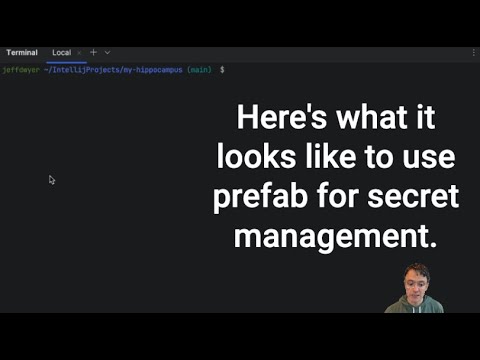
What Does That Look Like?
Walkthrough
Quonfig secret management uses standard Quonfig dynamic configuration to store and share your secrets between your applications.
In particular, it uses two special types of configuration attributes: decryptWith and provided. Let's see how these work together.
Step 1: Create an Encryption Key
Quonfig allows you to declare that a configuration value will be "provided by" an environment variable. Quonfig will store a config that is kind of an empty vessel. It is a pointer that says "find my value from this ENV VAR".
We want Quonfig to have zero knowledge of your encryption key, so we'll use these provided values so you don't have to tell us the encryption key.
Create the Provided By Env Var Config
qfg create quonfig.secrets.encryption.key --env-var=QUONFIG_SECRET_KEY_DEFAULT --type string --confidential
This creates:
- A config called
quonfig.secrets.encryption.key - That will resolve to
QUONFIG_SECRET_KEY_DEFAULT - That won't report/print the value because it's
--confidential
Put something in the vessel locally
We'll generate a secure series of random bytes to be our encryption key.
> qfg generate-new-hex-key
17f65155e45a42777d89091e40cddc5541ac4851c44134f86db7a408a7fea5a8
Now we put this into our environment using something like a .env.local file.
#.env.local
QUONFIG_SECRET_KEY_DEFAULT=17f65155e45a42777d89091e40cddc5541ac4851c44134f86db7a408a7fea5a8
If we run our application now and call Quonfig.get("quonfig.secrets.encryption.key") we'll get 17f65155e45a42777d89091e40cddc5541ac4851c44134f86db7a408a7fea5a8.
Step 2: Encrypt Something
Encrypt a value
qfg create my.api.key --type string --value="sample api key" --secret
This will:
- Assume that we are using the value of
quonfig.secrets.encryption.keyto encrypt. - Pull the key from our environment.
- Use that key to encrypt
sample api key - Push and encrypted blob to Quonfig under the key
my.api.key
Here's a pictorial representation of what we've done so far
Step 3: Using the Secret
Locally, we're all set. We can use the language appropriate form of Quonfig.get("my.api.key") and the library will decrypt our secret.
To use the secret in another environment, you just need to get QUONFIG_SECRET_KEY_DEFAULT=17f65155e45a42777d89091e40cddc5541ac4851c44134f86db7a408a7fea5a8
set in that environment.
Separate Keys For Different Environments
So far, we've shared the same secret for development and staging, but it's very likely you'll want a different key for your production secrets. This is no problem. The nature of provided means that our quonfig.secrets.encryption.key can resolve to different ENV vars in different environments.
Generate a second secret
> qfg generate-new-hex-key
17f65155e45a42777d89091e40cddc5541ac4851c44134f86db7a408a7fea5a8
Put that secret into a separate env var
Why use a second env var? Well, you aren't required to. You could share the same name for the env var in all your environments.
The trick is that this can make using the CLI locally more challenging. Locally, the CLI will need to be able to encrypt for both the default and production environments. We find it is easier to have them use different names so they don't collide locally. Here's what that looks like
#.env.local
QUONFIG_SECRET_KEY_DEFAULT=17f65155e45a42777d89091e40cddc5541ac4851c44134f86db7a408a7fea5a8
QUONFIG_SECRET_KEY_PRODUCTION=994899132443777d89091e40cddc5541abdeff123830488a7fea173b3b1b2b38
Update the quonfig.secrets.encryption.key to look for the other ENV var in production
$ qfg set-default --confidential --env-var=QUONFIG_SECRET_KEY_PRODUCTION

? Which item would you like to change the default for? quonfig.secrets.encryption.key
? Which environment would you like to change the default for? Production
Confirm: change the default for quonfig.secrets.encryption.key in Production to be provided by `QUONFIG_SECRET_KEY_PRODUCTION`? yes/no: yes
✔ Successfully changed default to be provided by `QUONFIG_SECRET_KEY_PRODUCTION` (confidential)
This is now the mapping of environment to ENV Var.
We can also see this by running qfg info.
$ qfg info quonfig.secrets.encryption.key

- Default: `QUONFIG_SECRET_KEY_DEFAULT` via ENV
- Development: [inherit]
- Production: `QUONFIG_SECRET_KEY_PRODUCTION` via ENV

No evaluations in the past 24 hours
Set a Secret in Production
Finally, let's set a production secret.
$ qfg set-default
? Which item would you like to change the default for? my.api.key
? Which environment would you like to change the default for? Production
Default value: sk_live_123
Confirm: change the default for my.api.key in Production to `sk_live_123`? yes/no: yes
✔ Successfully changed default to `sk_live_123`
Note: You can use as many encryption keys as you want. It is a common practice to have 2, one for production and one for all other environments. But you can have as many secrets as you need in order to align with the trust groups you require.
Full Example Diagram
How should I get the actual Secret keys passed around.
In order to share the QUONFIG_SECRET_KEY_DEFAULT with developers, you can use a password manager such as 1Password or you can use one of the secure 1-time password sharing website like 1ty.me onetimesecret or password.link.
This will be the only secret you ever need to share amongst your developers going forward.
How do secrets work in CI?
Because Quonfig secret management uses the regular dynamic configuration, you'll use the same techniques to run in continuous integration environments which may be offline. The full guide is available in Testing. The only thing you'll need to remember is to make QUONFIG_SECRET_KEY_DEFAULT available to processes in CI.
For tools that read secrets from process.env before the SDK can initialize — drizzle-kit migrate, next build, next-auth's AUTH_SECRET, and similar — use qfg run to resolve Quonfig configs into env vars and exec the child process. Avoid hand-rolling a with-quonfig-env.ts wrapper script; qfg run handles the resolve, the env merge, and the binary auth/environment rule for you.