Slack Integration
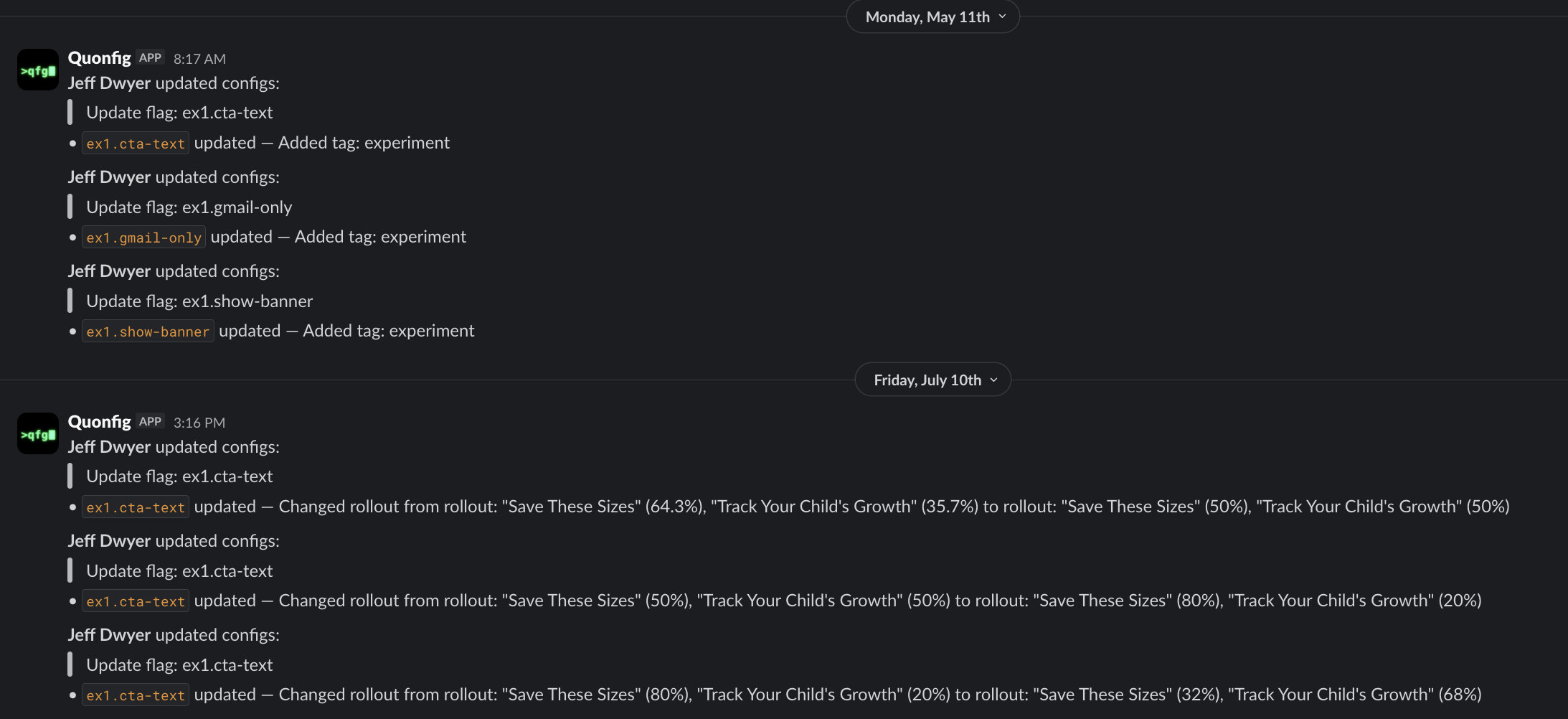
The Slack integration sends a message to a channel of your choice every time a flag, config, segment, or log-level changes in a workspace. The message body is formatted from the same audit translator the in-app audit log uses, so what your team sees in Slack matches what they see in the UI.
Connect a workspace
Each Quonfig workspace is connected to Slack independently — connect once per workspace.
- In the Quonfig app, open your workspace and click Integrations in the sidebar (between API Keys and Debugger).
- Click Connect to Slack. You'll be redirected to Slack's OAuth consent page.
- Pick the Slack workspace to install Quonfig into and approve the requested scopes:
chat:write— post messages to a channelchannels:read/groups:read— list channels for the picker
- Slack returns you to the integrations page. The installation is now in pending status — Slack is connected but no channel is selected yet.
You must be a member of the Quonfig org that owns the workspace to start the OAuth flow.
Pick a notification channel
After the OAuth dance the page shows a channel picker listing every channel the Quonfig bot is currently a member of.
- In Slack, run
/invite @Quonfigin the channel where you want change notifications to land. - Back in the Quonfig integrations page, click Refresh channels. The new channel will appear in the picker (Slack reflects new memberships immediately on the
users.conversationsendpoint Quonfig uses). - Select the channel and click Save. The installation moves to configured.
You can change the channel later by re-opening the integrations page and selecting a different one.
What gets notified
Quonfig posts one message per push to the workspace's git repo, summarizing every config-shaped change in the commit. A change is config-shaped if it touches a file under any of:
configs/feature-flags/segments/log-levels/
For each changed file, the message includes the same human-readable summary that appears in the audit log (e.g. "changed default value from false to true in production", "added rule targeting user.country IN ['DE','FR']"). Author and commit subject are included so you can trace the change back to the person and PR.
Non-config files (READMEs, top-level quonfig.json, anything outside the four directories above) are skipped.
Disconnect
On the integrations page, click Disconnect. Quonfig calls Slack's apps.uninstall to revoke the bot token and removes the installation row. You can reconnect at any time by repeating the connect flow.
This integration is one-way: Quonfig posts change notifications into a channel. To let your team ask about flags and change them from Slack, see Quonfig + Claude Tag.