Context Playground & Debugger
Quonfig provides a Context Playground and Debugger to help you understand how Contexts work and how they're used in your application.
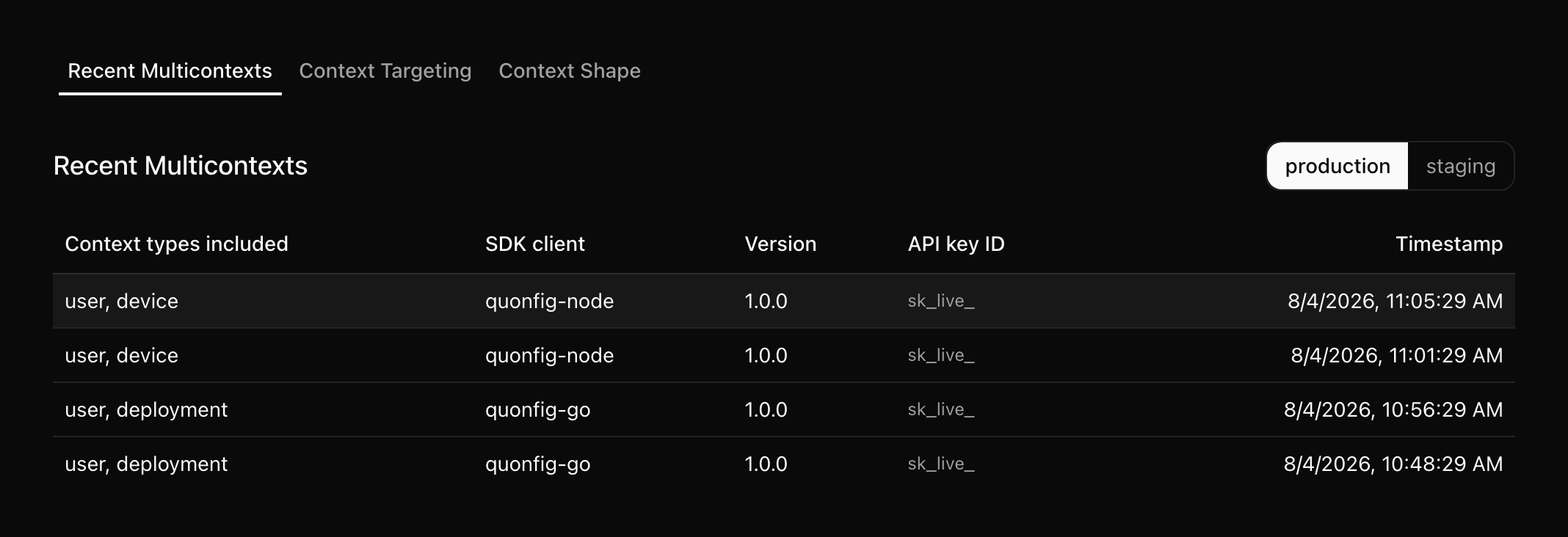
In the sidebar, navigate to "Contexts". Pick an environment and you'll see recent multicontexts, and you can search by key and name for a specific context.
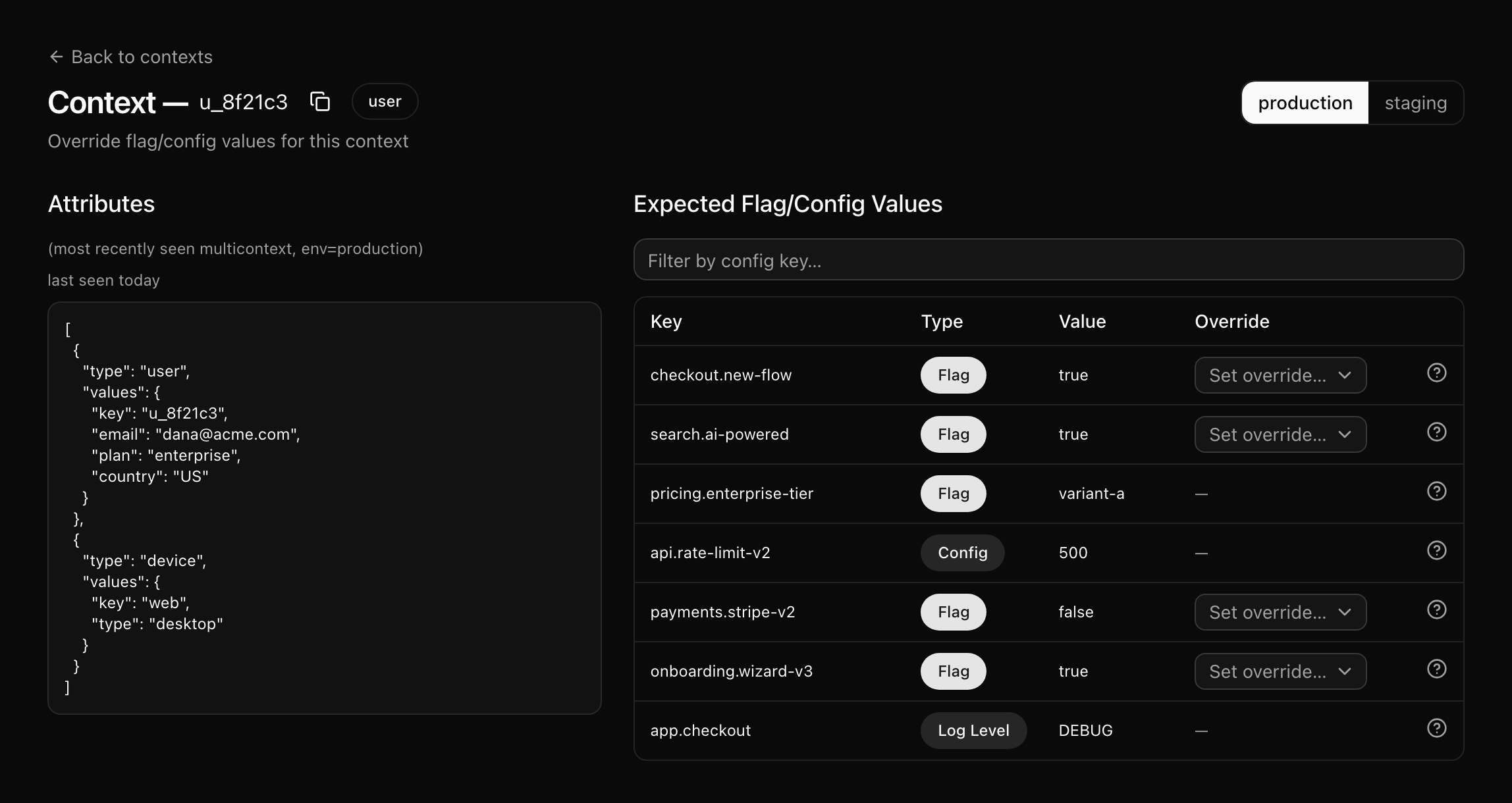
From there, you can click on a context to see the raw JSON. This is super helpful to understand why a flag is or isn't evaluating the way you expect. For even more guidance, hover over the flags to the right to see which rule the context matched.
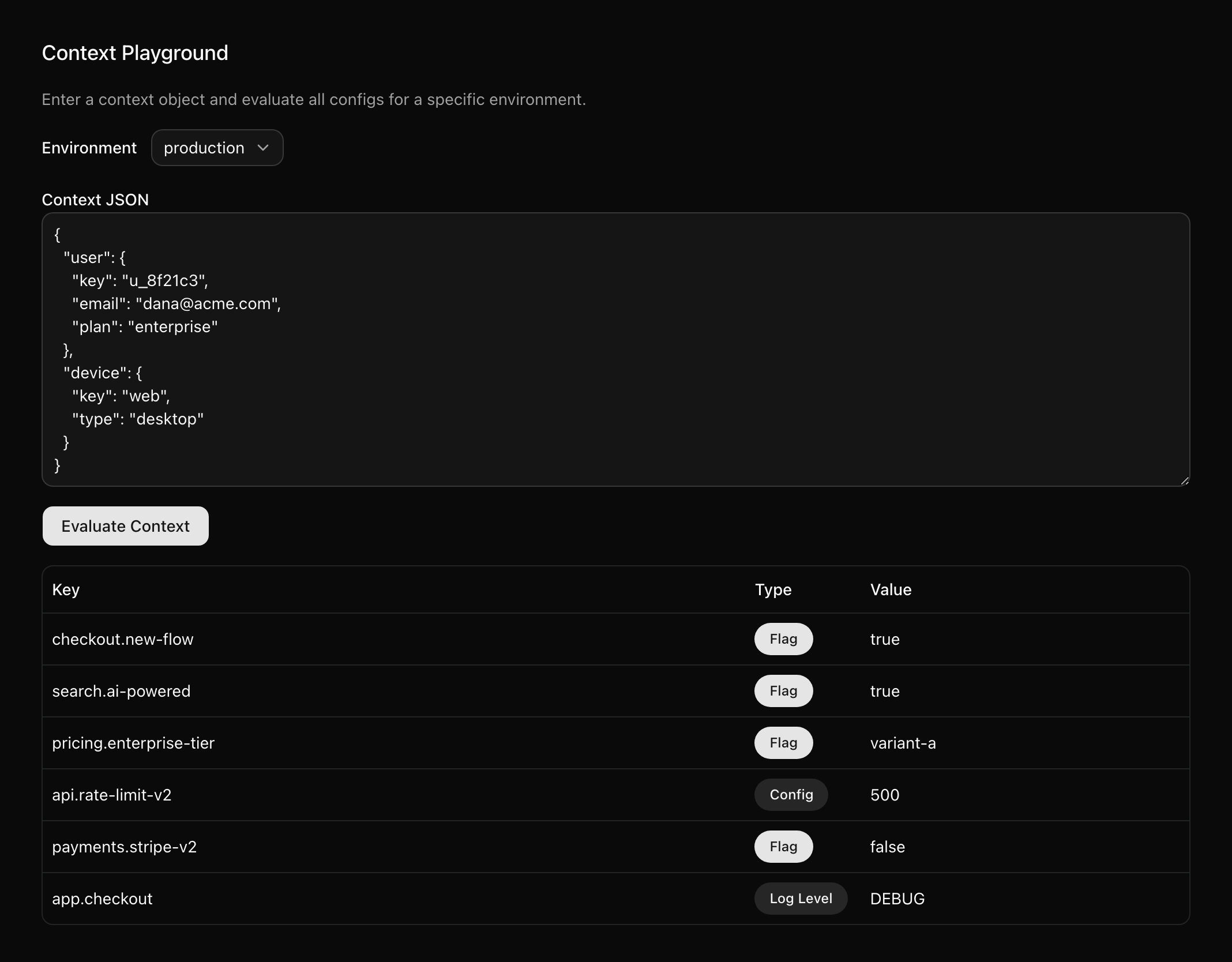
If that doesn't solve your problem, copy the context and then navigate to the Debugger and scroll down to the Context Playground. Paste in the context and hit evaluate. This lets you modify the context and see what the result would be.
Find more Best Practices and Tips in the Best Practices guide.